CV / Curriculum Vitae: the guide to creating a successful CV

What is a CV? What should you include? In what order should you present your background? Which format should you choose? Find the essentials for building a clear, credible curriculum vitae tailored to the role you are targeting.
Example of a CV with an ATS score

Understand the essentials before writing

A strong CV combines content and presentation

Your curriculum vitae has to tell the story of your background in very little space. The content selects the information that proves your fit for the role, while the presentation makes it easy to read and remember.

Purpose of the CVJob titleProfessional summaryWork experienceEducationTailor your CVSkillsInterestsChoose the right keywords

Do you know the definition?

What is a CV?

A CV, short for Curriculum Vitae, is a document that summarizes the most relevant parts of your background for a job application: work experience, education, skills and contact information.
Its purpose is not to tell your entire life story. It should help a recruiter quickly understand what you can do, the environments you have worked in and why your profile could match the role.
An effective CV therefore works as a selection. Every section, experience and skill should support your professional objective. The more targeted your application is, the easier the document becomes to understand.

CV = selection + hierarchy.

The best CV is not the one with the most information, but the one that makes the most useful information for the application easy to see.
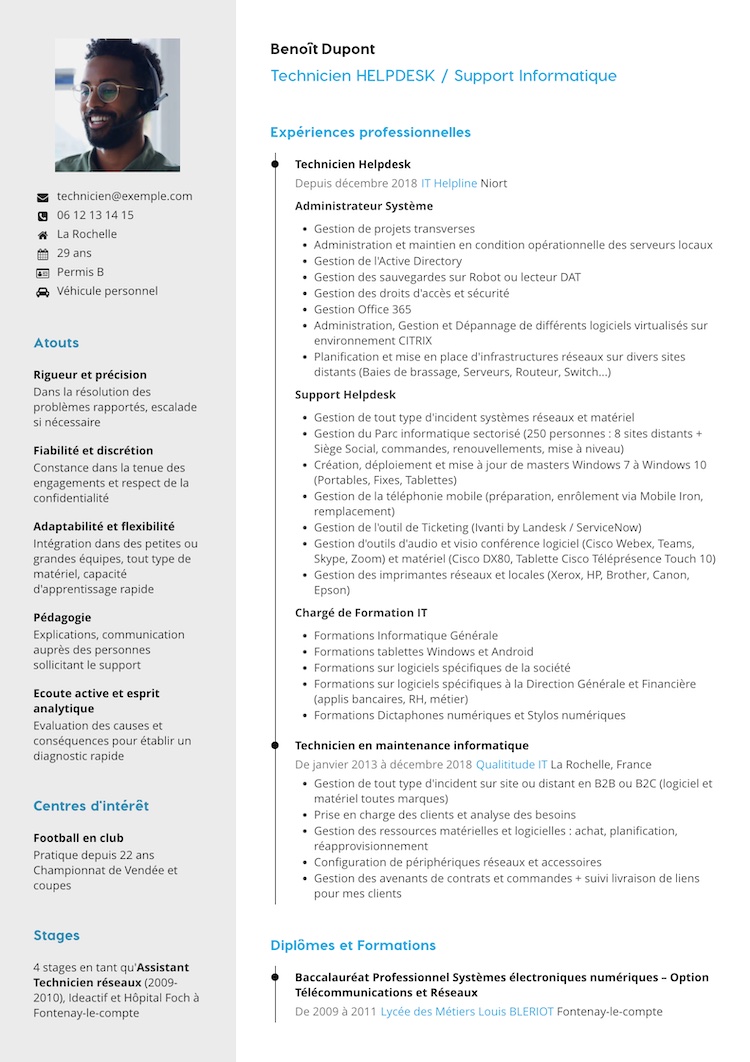
CV content

The essential sections of a strong CV

The exact structure depends on your profile, but some sections provide a solid foundation for most applications.

Contact details

First name, last name, phone number, email address and any useful information recruiters need to contact you easily.

Job title and summary

A clear target title and a few lines summarizing your value, experience or career objective.

Work experience

Roles, companies, dates, responsibilities and achievements that demonstrate your expertise.

Education

Degrees, training and certifications that provide context for your background.

Skills

Job-specific expertise, tools, technologies, methods and other skills related to your objective.

Languages

Indicate a clear proficiency level and, if relevant, any certification you hold.

Professional strengths

Select soft skills that are useful for the role and avoid overly generic lists.

Interests

An optional section that can add personality when it says something useful about you.

What order should you use?

Organize your CV around what sells your profile best

There is no single order that works for every candidate. A recent graduate may benefit from placing education near the top, while an experienced professional will often highlight recent roles first.

The most useful rule is simple: start with what helps the reader understand your application fastest. A recruiter should be able to identify your objective, level of experience and key strengths without searching for them.
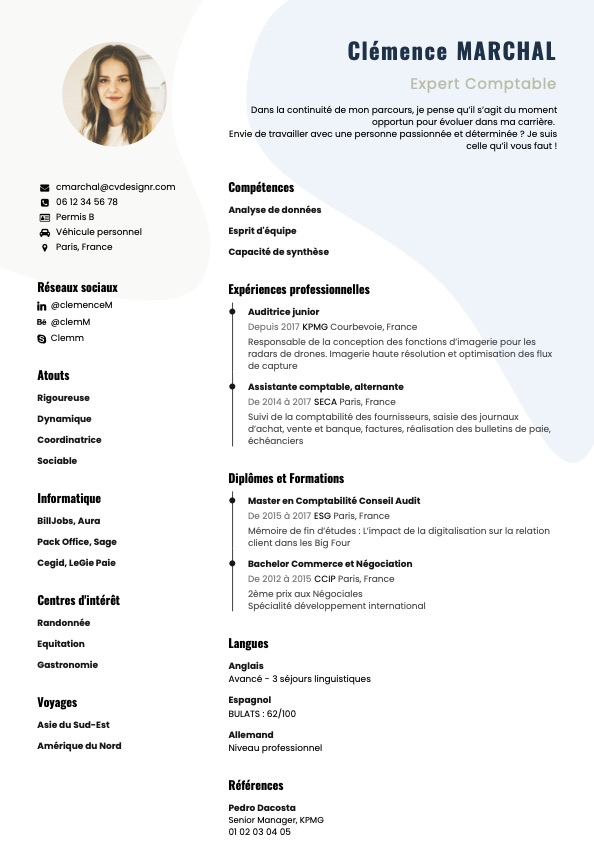
  • Experienced professional: Give more space to recent roles, results and responsibilities.
  • Student or recent graduate: Education, internships, apprenticeships, projects and early skills may come before limited work experience.
  • Career change: Highlight transferable skills and the elements that make your new direction credible.
Illustration

Write stronger content

How can you write a more convincing CV?

The difference often comes down to precision. A vague experience looks like many others; a contextualized one helps the recruiter understand your real level.

Use clear job titles

The name of the role, course or skill should be immediately understandable. Avoid internal titles that only your former employer would recognize.

Describe what you actually did

Use concrete responsibilities: manage a portfolio, coordinate a team, produce reports, develop a feature, support clients, and so on.

Add context

Volume, team size, tools used, scope, frequency or results can turn a generic line into credible information.

Our tip

Instead of writing ‘Social media management’, write something like ‘Planned and published 4 posts per week on LinkedIn and Instagram, monitored performance and coordinated with the sales team’ when that accurately reflects your experience.

CV format

PDF, Word, A4: which format should you use to send a CV?

For a CV sent by email or uploaded to a platform, PDF remains a practical format because it preserves the layout from one device to another. It helps prevent fonts, margins or content blocks from shifting when the file is opened.
A4 remains a common standard in many markets and is convenient for printing. Before sending, check that the file opens correctly, the text is readable and the filename looks professional.
When applying through a platform, always follow the requested format. If an employer requires a specific file type, that instruction takes priority over your usual preference.
FormatBenefitWatch out for
PDFPreserves the layout and is easy to share.Check text readability and file size.
DOC/DOCXMay be requested by some recruiters or systems.The layout can vary depending on the software.
ImageUseful for some visual purposes.Avoid using it as the main format when the text needs to be parsed or searched.

CV presentation

Useful design matters more than originality

Layout creates the first impression, but its main purpose is to guide the reader. Consistent section headings, regular margins, readable typography and enough spacing make a CV easier to scan.

Color can help structure the document and give it a visual identity, but it does not need to dominate. A simple CV can still be memorable when the hierarchy is clear and the content is relevant.

The best test is a quick scan: within a few seconds, someone should be able to spot your target role, recent experience, strongest skills and contact details.
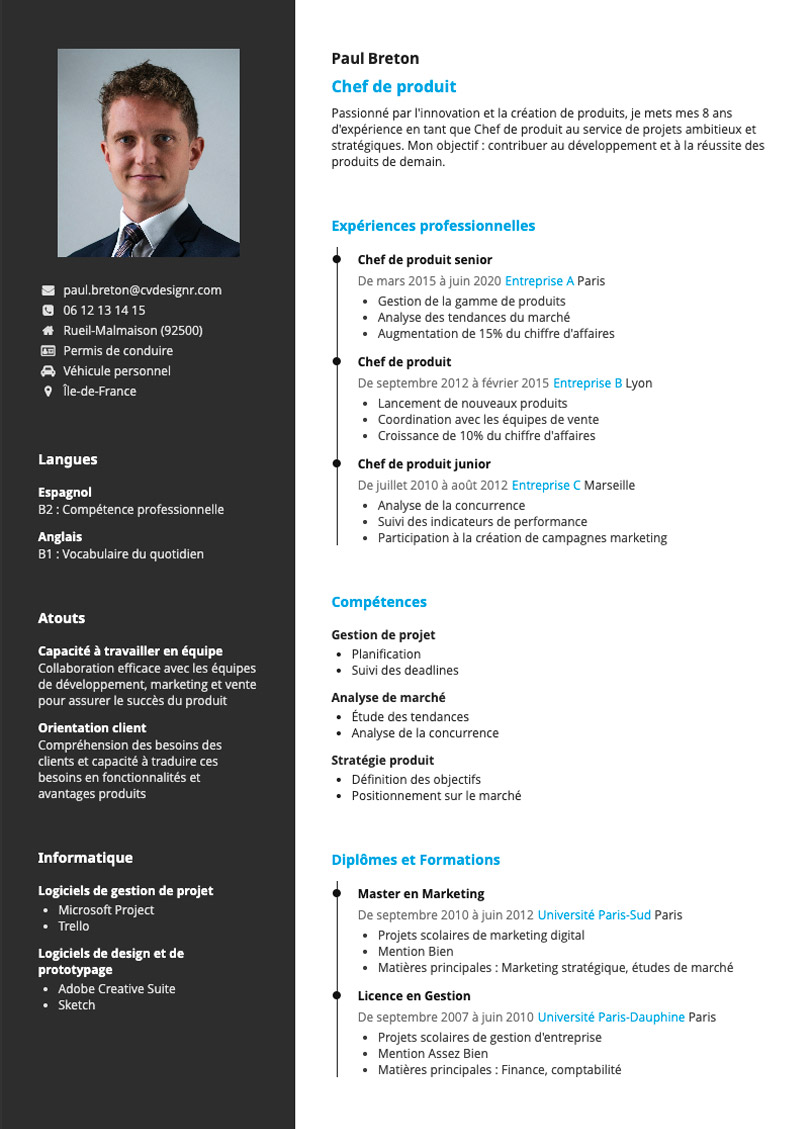
Illustration

Create a targeted CV

Why tailor your CV to each application?

Your background does not change from one job opening to another. However, the order and way you present information can change depending on the role.

Adapt the job title

Use a title that matches the role you are targeting rather than one that is too broad or too far from the wording in the job ad.

Highlight the right experience

Give more detail to responsibilities directly related to the employer's needs and shorten those that add less value.

Prioritize relevant skills

The recruiter should quickly see the tools, methods and expertise that match the target role.

What can get your application rejected

7 common mistakes that weaken a CV

1. Including too much information

An encyclopedic CV dilutes what matters. Select only what genuinely supports your objective.

2. Not stating the target role

Without a clear title, the recruiter has to guess your professional objective.

3. Describing responsibilities too vaguely

Generic verbs without context make it difficult to assess your actual level of experience.

4. Using inconsistent visual hierarchy

Different font sizes or styles in every section make the document harder to read.

5. Sending the same version everywhere

A targeted application highlights the skills expected for the role more effectively.

6. Skipping proofreading

Spelling, dates, contact details and overall consistency should be checked before every application.

7. Ignoring the filename

Use a simple filename such as Firstname-Lastname-CV.pdf so the document is easy to identify.

Examples and templates

You do not need to start from a blank page

A CV example is mainly useful for content inspiration: wording, how experience is organized and the right level of detail.
A CV template gives you a ready-made visual structure that you can then customize.

CV example

A source of inspiration for content: what to include, how to phrase it and what deserves emphasis.

CV template

A visual structure you can fill in and customize: layout, visual hierarchy and final presentation.

Ready to turn these tips into a CV?

Curriculum Vitae FAQ

Frequently asked questions about CVs

What is the difference between a CV and a Curriculum Vitae?

There is no difference: CV is simply the abbreviation of Curriculum Vitae.

What should you include in a CV?

The most common sections are contact details, job title, professional summary, work experience, education and skills. Other sections can be added depending on your profile.

How many pages should a CV be?

The ideal length depends on your background and target market. In many cases, one page is a strong default. The main goal is to stay concise and keep only information that supports the application.

Which format should you use to send a CV?

PDF is convenient because it preserves the layout, unless a recruiter or application platform explicitly requests another format.

Should you include a photo on your CV?

A photo is not essential. If you choose to use one, select a professional image that fits the application context and local conventions.

Should you rewrite your CV for every job?

It is useful to adapt at least the title, professional summary, order of selected experiences and the skills you emphasize.